
# PC Requirements & Settings Guide for Silent Hill: Townfall
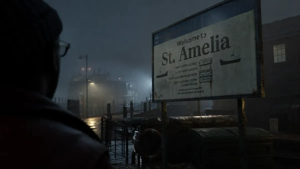
Silent Hill: Townfall is built on Unreal Engine 5 and delivers a visually stunning recreation of 1996 Scotland. The game launches on September 24, 2026, for PlayStation 5 and PC via Steam and Epic Games Store, with the Deluxe Edition offering 48-hour early access starting September 21. This guide covers the full PC system requirements, recommended settings for optimal performance, and important technical notes about UE5-specific behaviors on PC.

System Requirements
### Minimum Requirements
| Component | Specification |
|---|---|
| CPU | AMD Ryzen 5 3600 / Intel Core i7-8700K |
| RAM | 16 GB |
| GPU | NVIDIA RTX 2060 Super / AMD RX 6600 |
| VRAM | 8 GB |
| OS | Windows 11 (64-bit) |
| Shader Model | 6.0 |
| Storage | 75 GB available space |
### Recommended Requirements
| Component | Specification |
|---|---|
| CPU | AMD Ryzen 7 5700X / Intel Core i7-9700K |
| RAM | 32 GB |
| GPU | NVIDIA RTX 3080 / AMD RX 7800 XT |
| VRAM | 10 GB |
| OS | Windows 11 (64-bit) |
| Storage | 75 GB available space |
According to Konami's official specifications, the Standard Edition is priced at $49.99, while the Deluxe Edition costs $59.99 and includes bonus content such as an artbook.
---
Performance Notes for PC
### UE5 Stuttering Issues
As an Unreal Engine 5 title, Townfall experiences some PC-specific performance behaviors that players should be aware of:
- Shader compilation on first launch: The game compiles shaders during the initial launch, which can cause stuttering during early gameplay. This is normal and improves after the first session as shaders are cached.
- CPU-intensive workload: Townfall can push CPU usage to near 100% on some systems, particularly in areas with dense vegetation and complex environments. A strong CPU is important for smooth performance.
- Vegetation and environmental detail: The game's lush Scottish environment with dense vegetation can cause noticeable FPS drops in outdoor areas. This is a UE5 characteristic and affects even high-end systems.
- Periodic micro-stutters: Some players may experience occasional micro-stutters during gameplay, particularly when transitioning between areas or when new environments load.
### Ray Tracing and Lumen
Townfall utilizes UE5's Lumen global illumination system:
- Hardware ray tracing: The game supports hardware-accelerated ray tracing, but the FPS impact is reportedly minimal. Lumen handles most lighting through software ray tracing by default.
- Visual quality: The lighting and atmosphere are core to the Silent Hill experience. Even on lower settings, the visual presentation maintains the game's oppressive fog and eerie atmosphere.
- Recommendation: If your GPU can handle it, enable ray tracing for the best atmospheric experience. The performance cost is lower than you might expect.
### DLSS and Upscaling
- DLSS Quality mode works well with Townfall and provides a good balance between image quality and performance.
- The game's foggy, atmospheric visual style means that upscaling artifacts are less noticeable than in cleaner, sharper games.
- Recommendation: Use DLSS Quality mode if you are below your target frame rate. The atmospheric nature of the game masks most upscaling softness.
### Texture Settings
- Textures look good even on low settings — VRAM usage remains reasonable across texture quality levels.
- If you are VRAM-constrained (8 GB or less), dropping texture quality is a safe way to improve performance without significantly impacting the visual experience.
- The game's fog and dark environments naturally hide lower-resolution textures.
---
Recommended Settings by Hardware Tier
### Entry Level (RTX 2060 Super / RX 6600)
- Resolution: 1080p
- Graphics Preset: Medium to Low
- DLSS/FSR: Quality mode enabled
- Ray Tracing: Off
- Textures: Medium
- Expected Performance: 30-45 FPS depending on the area
### Mid Range (RTX 3070 / RX 6800)
- Resolution: 1440p
- Graphics Preset: Medium to High
- DLSS/FSR: Quality mode
- Ray Tracing: Low to Medium
- Textures: High
- Expected Performance: 45-60 FPS
### High End (RTX 3080 / RX 7800 XT and above)
- Resolution: 1440p to 4K
- Graphics Preset: High to Ultra
- DLSS/FSR: Quality or Balanced mode at 4K
- Ray Tracing: On
- Textures: Ultra
- Expected Performance: 60+ FPS at 1440p, 45-60 FPS at 4K
---
Important Technical Notes
### First Launch Expectations
- The first launch will take longer than usual due to shader compilation. Do not assume the game has frozen — let it complete.
- Subsequent launches will be significantly faster.
- Some initial stuttering during the first play session is normal and will improve.
### Storage Considerations
- The game requires 75 GB of storage space. An SSD is strongly recommended for faster load times and reduced texture streaming issues.
- Ensure you have sufficient free space beyond the 75 GB minimum for save files and shader cache.
### Windows 11 Requirement
- Townfall requires Windows 11 (64-bit). Windows 10 is not officially supported.
- Ensure your system is up to date with the latest Windows 11 updates and GPU drivers for the best experience.
### CPU Bottlenecking
- The game is notably CPU-intensive, particularly in vegetation-heavy outdoor areas.
- If you have a high-end GPU but a weaker CPU, you may experience CPU bottlenecking. The recommended CPUs (Ryzen 7 5700X / i7-9700K) represent the baseline for smooth performance.
- Closing background applications can help reduce CPU contention.